How to make a restaurant menu with MenuMaker
In this tutorial we show you how to make a restaurant menu with allergens in just a few minutes.
Learn about the advantages of creating your menus with MenuMaker
Design the menu for your restaurant MenuMaker offers you advantages that go beyond saving time and money. You will not need to hire a designer: you can manage the versions of your menus online, from any device, without the need of design programs.
You can translate your dishes up to 11 languages, both automatically and manually. Print in pdf the menus with the languages you want. You can also add a QR code that will make your menus available online and accessible to all the languages you have translated your dishes to.
Create your menus with allergens with a single click. You can add or remove allergens in no time, and changes will affect all the languages your dishes are translated to. In addition, a legend is automatically included at the bottom of the menu. The names of the allergens will be translated into the selected languages of your menus.
With MenuMaker you can manage multiple restaurants. Share dishes and menus between them and save yourself having to repeat tasks.
How to create the menu of your restaurant with MenuMaker
The following steps will guide you to create the menu of your restaurant in just a few minutes.
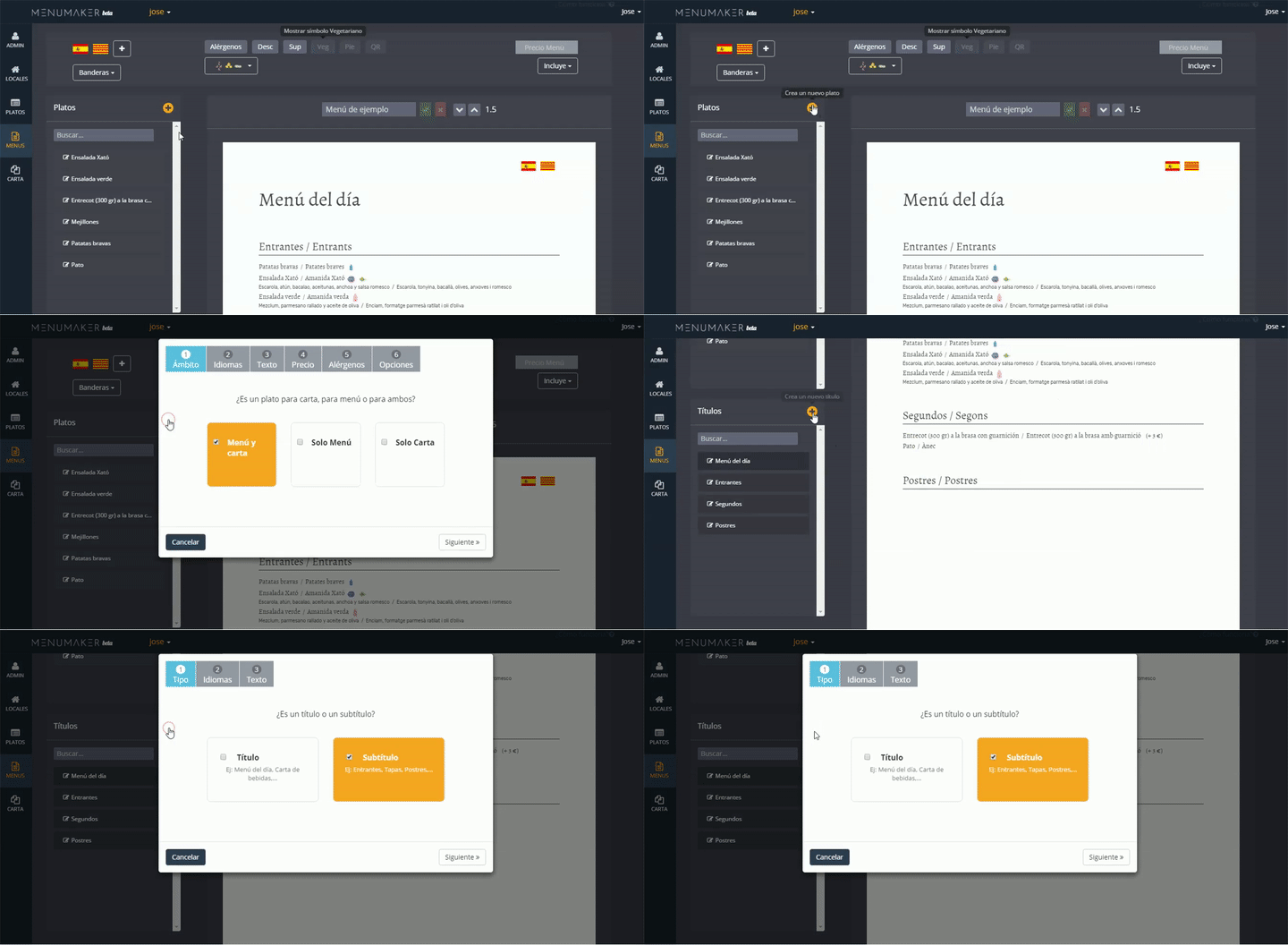
Create dishes and titles
Create the dishes and titles you need to compose the menu. Here you can choose the languages, allergens, price and whether it has a price supplement on the menu.
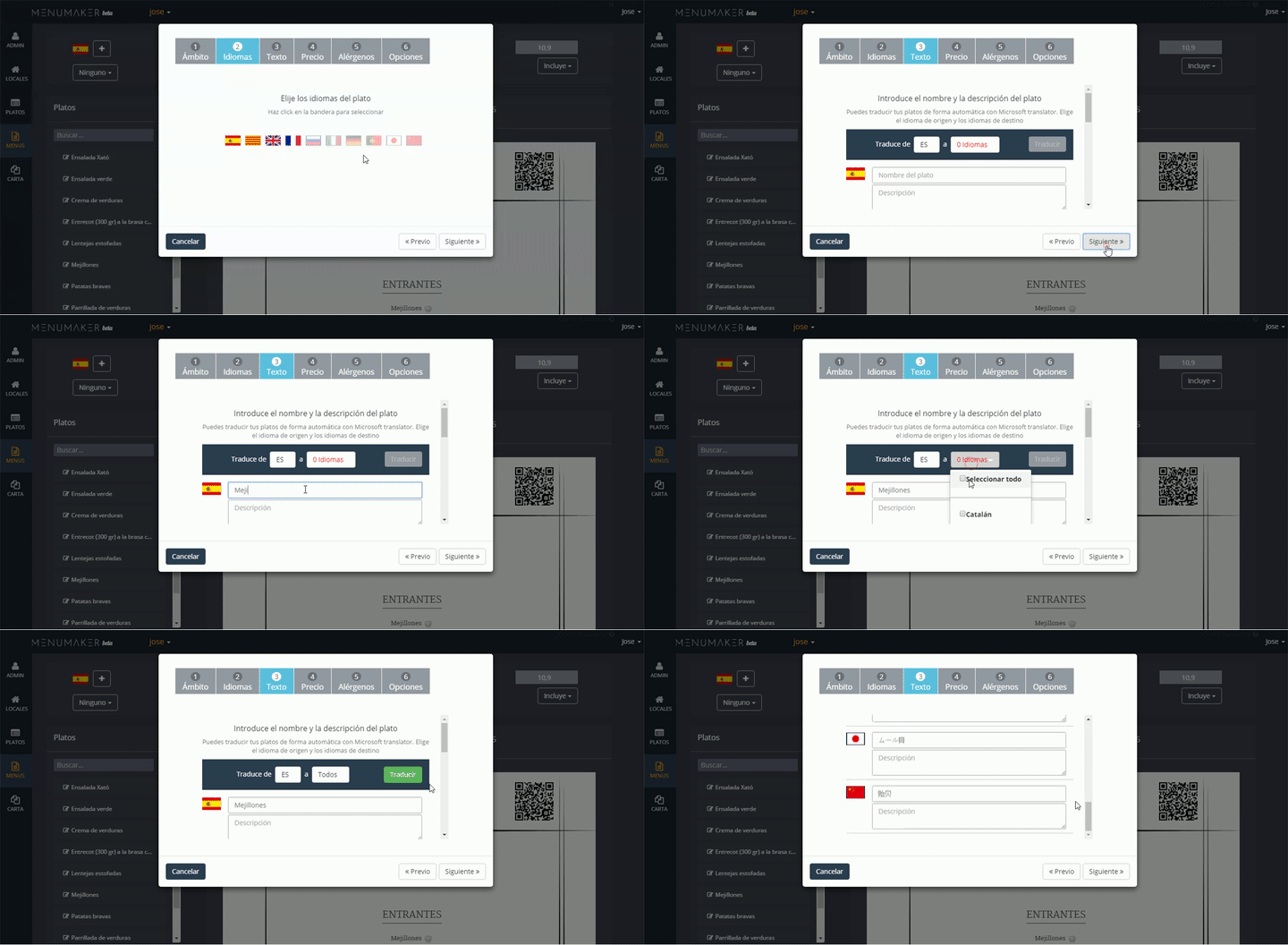
Select the languages for the dish
Select the languages for the dishes from among the 11 available. You can translate them yourself or use the automatic translation tool.
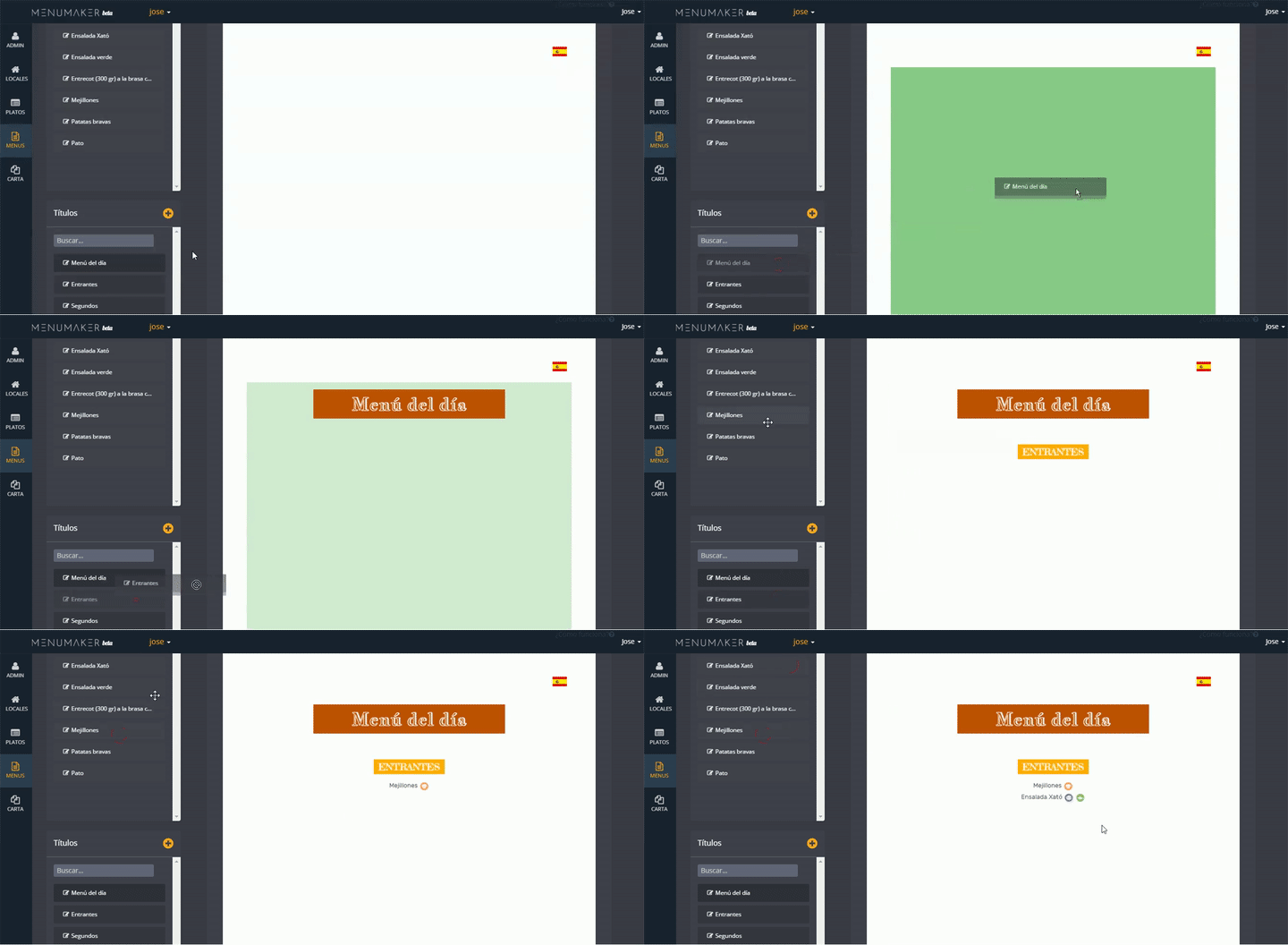
Drag them to the menu
Drag your titles and dishes to the menu.
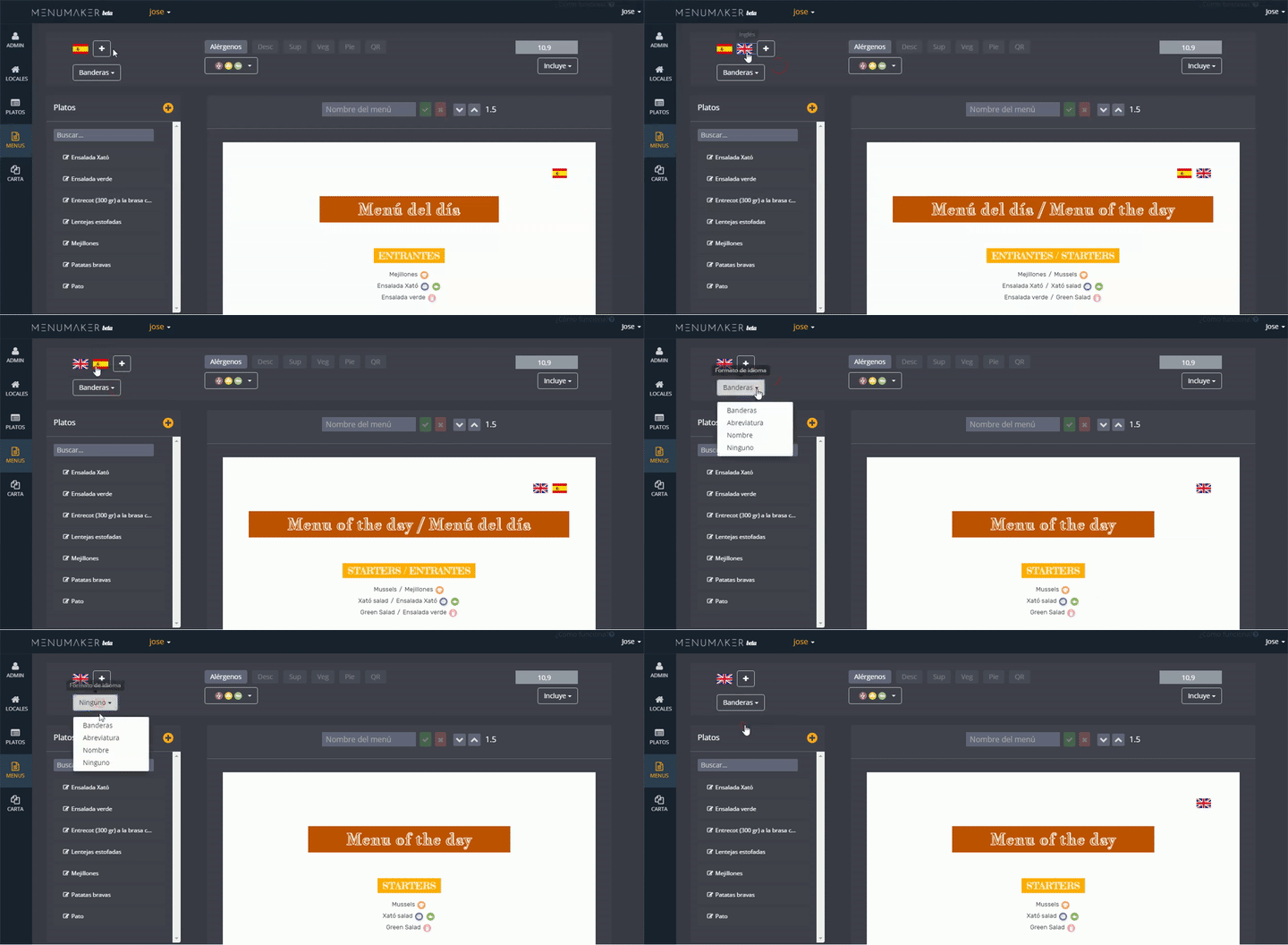
Select the languages for the menu
Select the languages you want to appear in the menu, order them and choose if you prefer to display flags, international codes or nothing.
You need to translate the dishes to the languages of the menu.
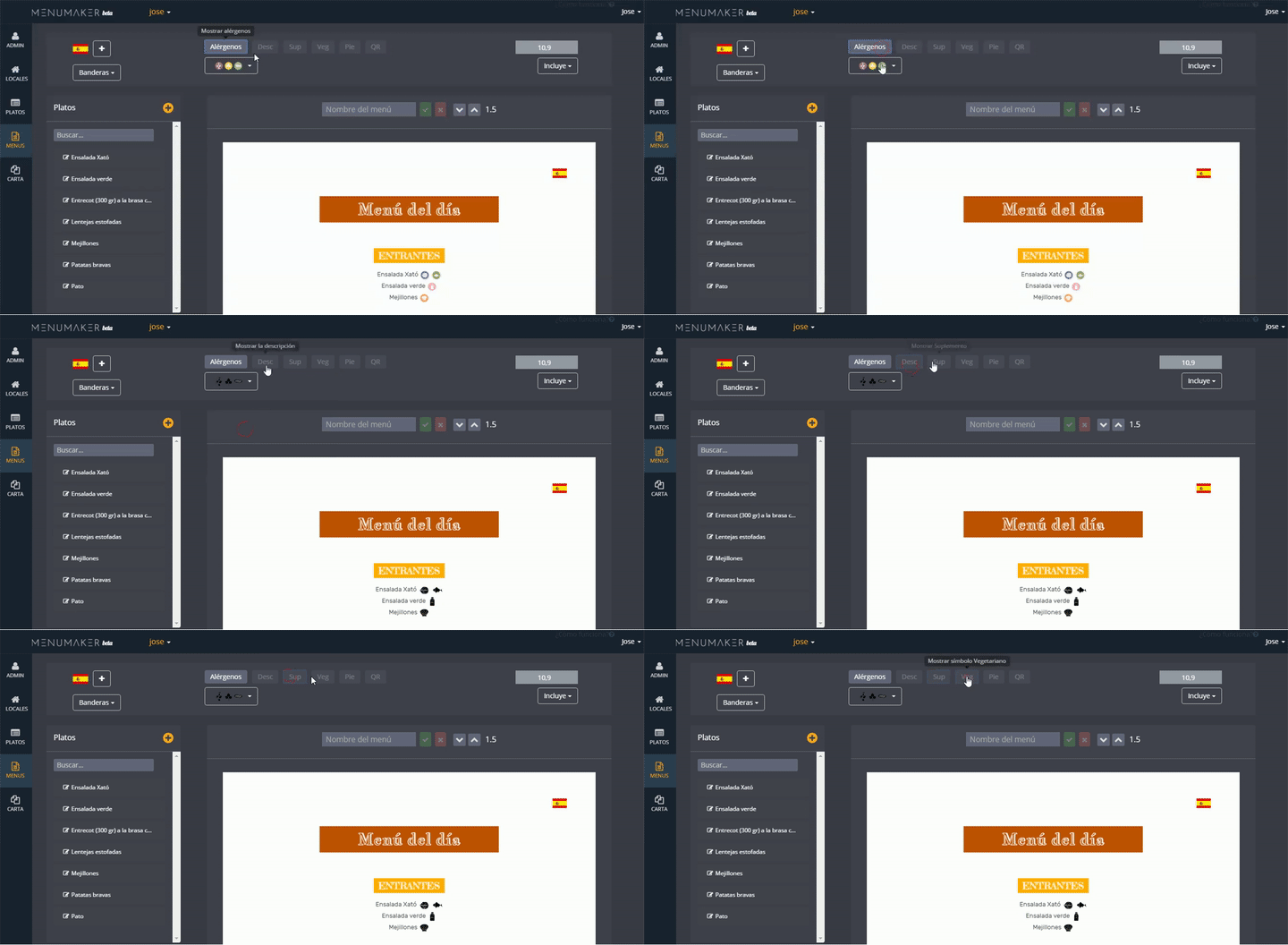
Enable the options you want
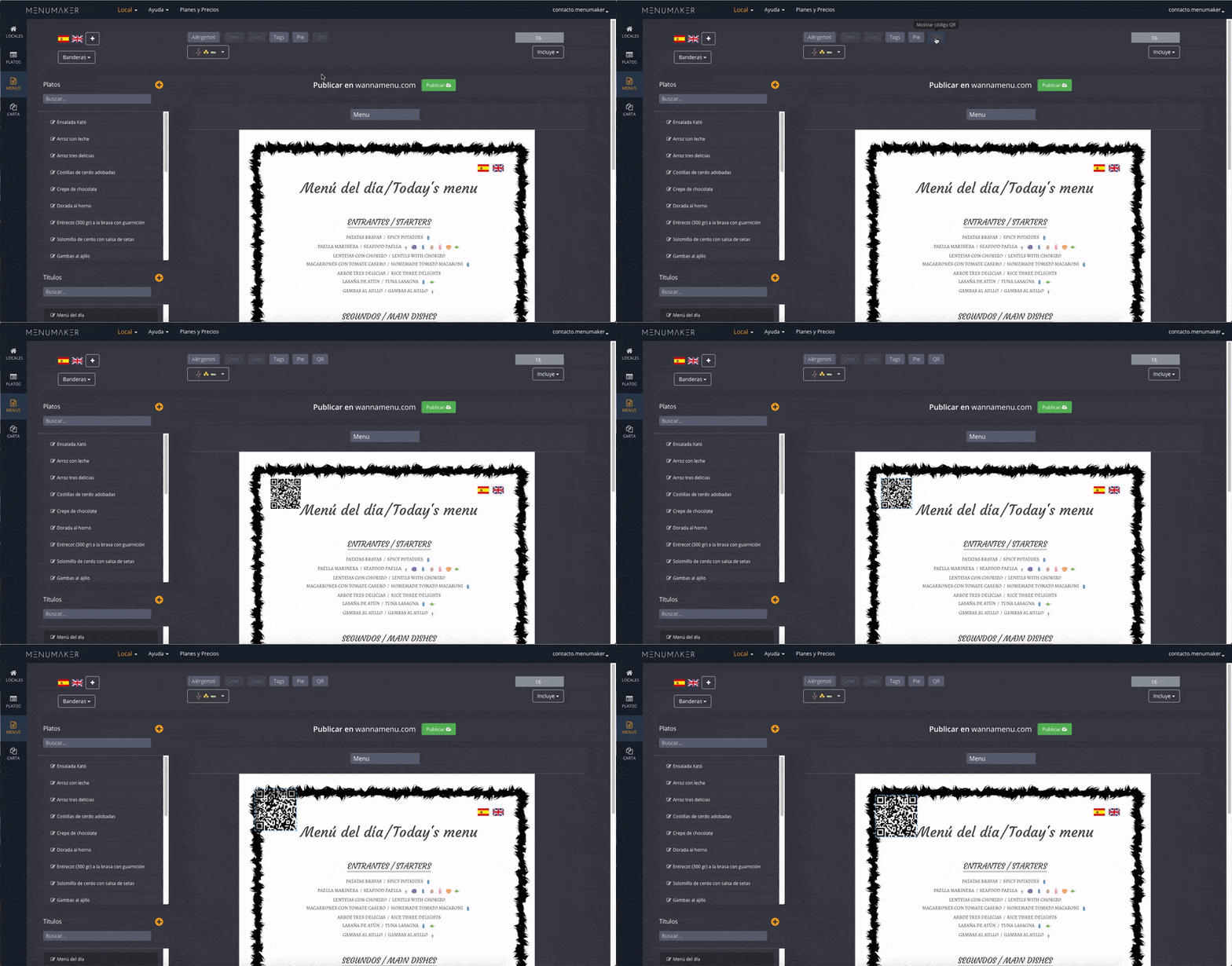
Enable the options you want to appear. Allergens of the dishes and legend of allergens, description, supplement, footer and QR code.
QR code
If you include a QR, when scanning the code you will be redirected to a page with your translated menu to the languages that you have chosen. You can place it where you want and change the size.
You need to have the dishes translated into the languages you want to display with your QR code.
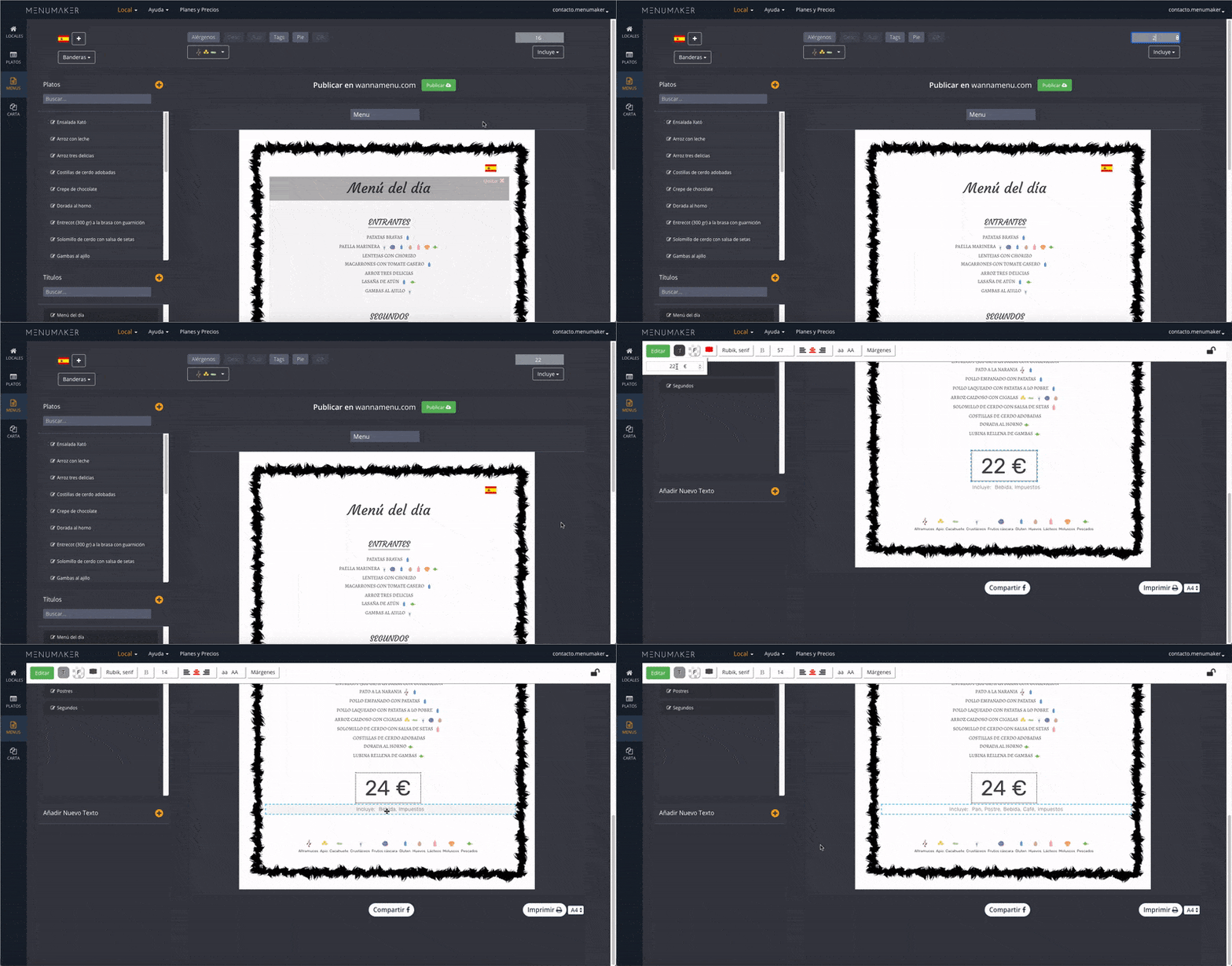
Set the price and what the menu includes
Set the price and if it includes bread, dessert, drink and taxes. We will show it translated to the languages you choose.
You have two places where you can do it. Up in the editing panel and from the menu itself, by double clicking on the corresponding window.
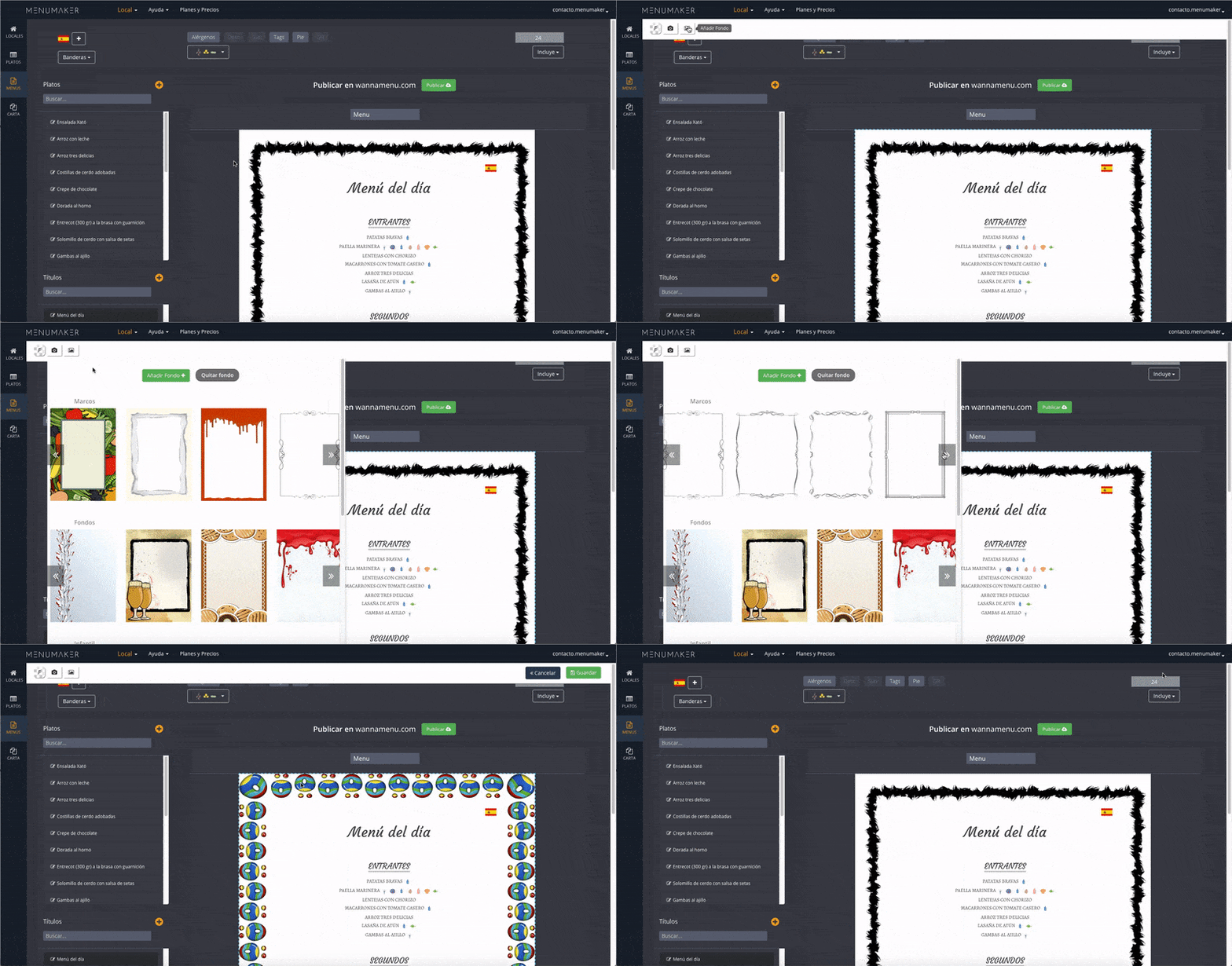
Change the background
You can customize the design by changing the background of the menu for one of our collection or Uploading your own designs.
Add additional texts
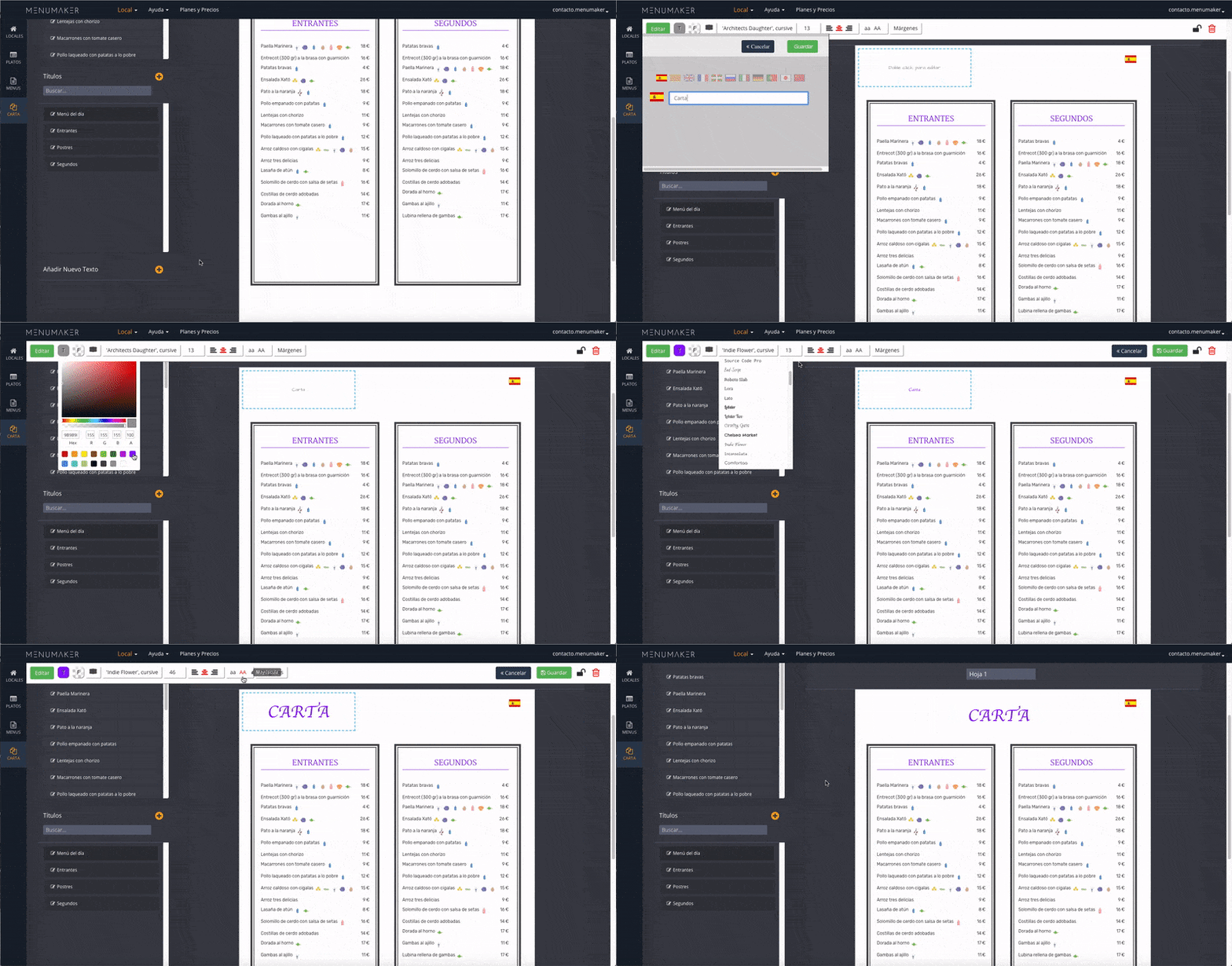
You can include additional texts outside the dishes area, also multi-language and with the possibility to edit the styles and add a frame.
Edit the text
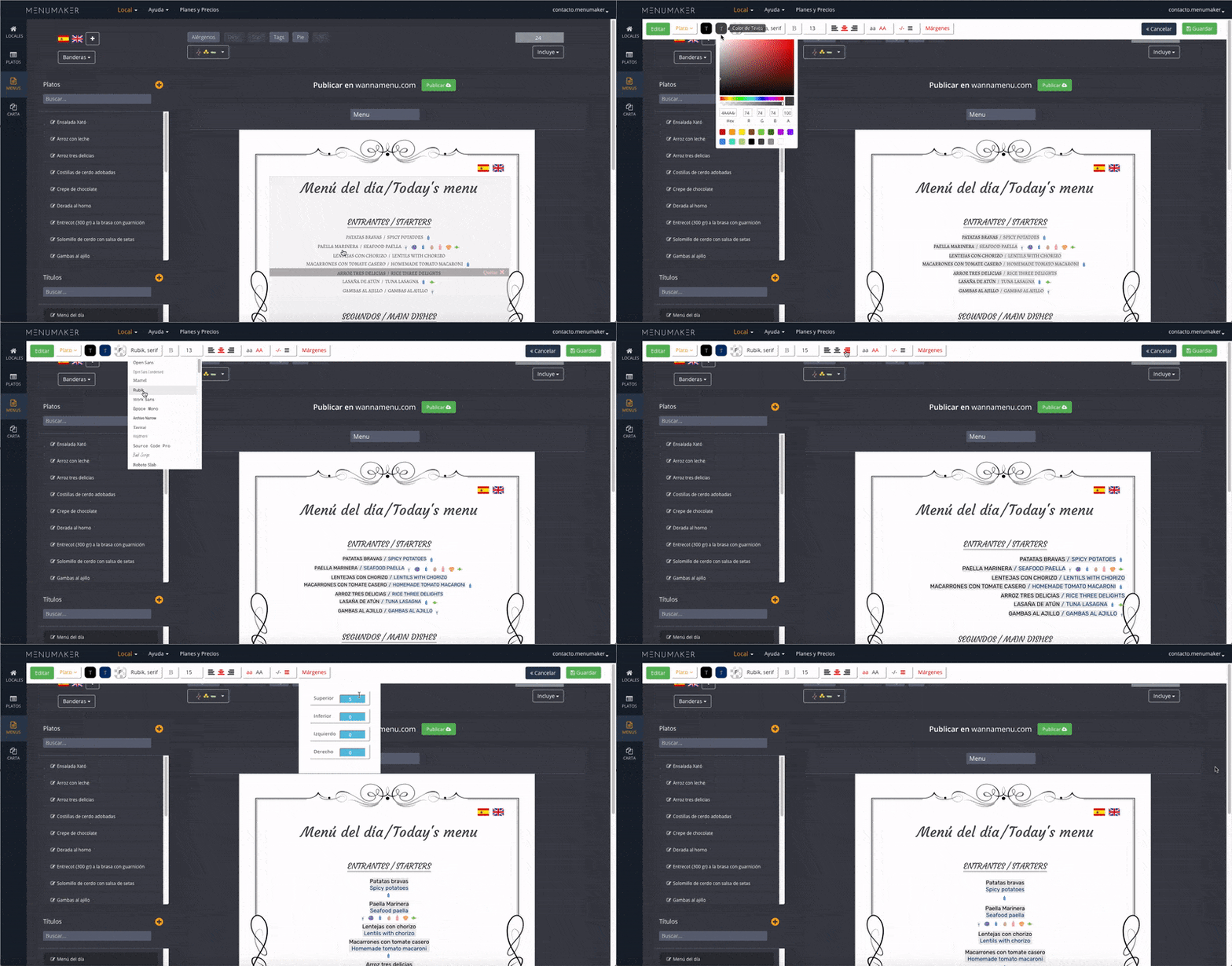
Edit texts by clicking on the text you want to edit.
Change the color, font, size, alignment or margins.
Print in pdf and share on social networks
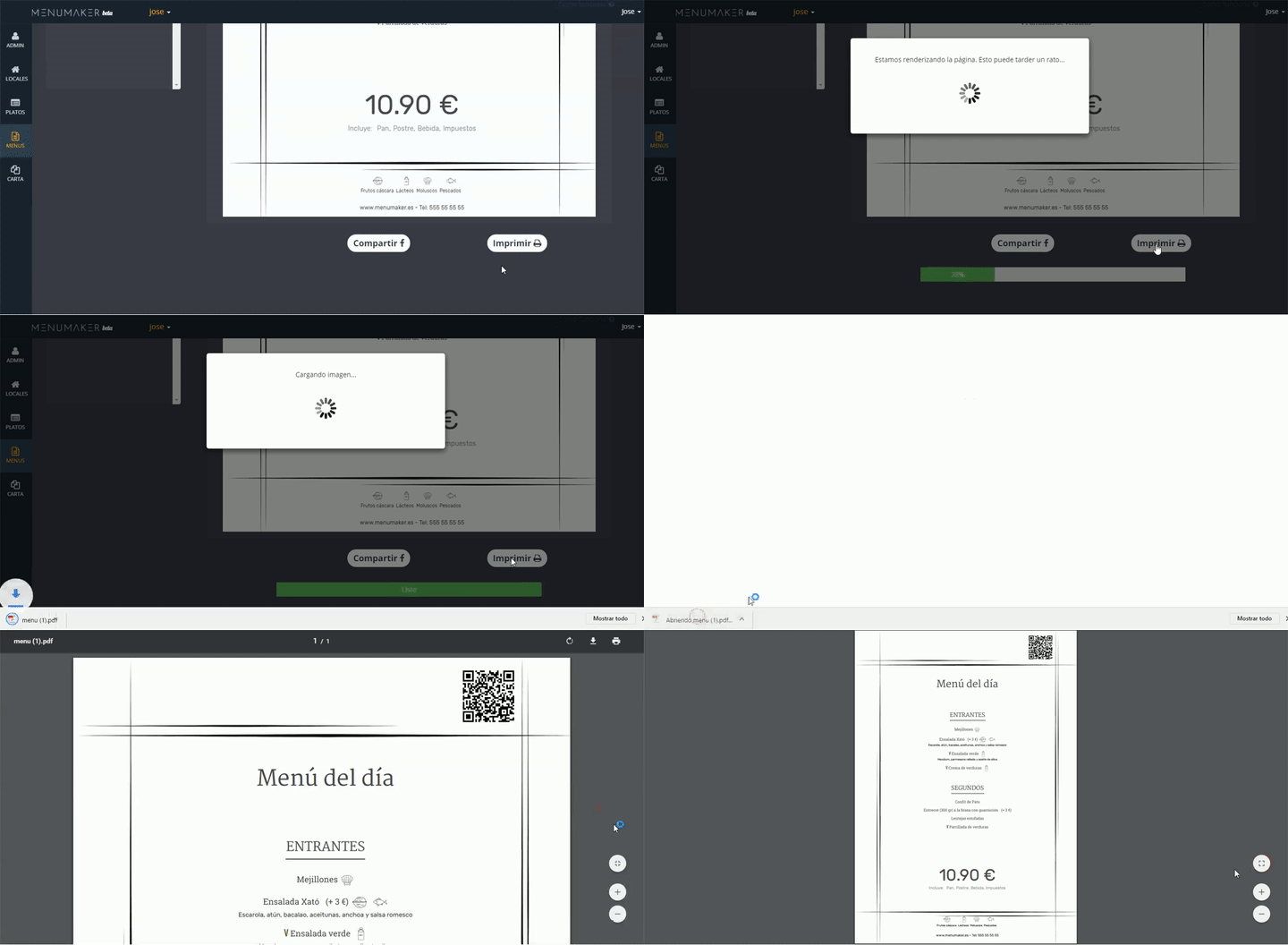
Print in pdf and share your menu on social networks with just one click. The menu will be available through the QR code in all the languages you have chosen even if they do not appear printed on your menu.
Next tutorial:
Customize your menu design